Save it, pay it off, and watch the gap close.
A money goal tracker for savings, debt and sales targets, on the web and iPhone. Give each step an amount and see how much you’ve saved, paid or reached, and how much is left.
Free to start. Money goals come with Premium, $29 a year.
An emergency fund, worked through five questions.
Adding a goal in Lifetick asks these five questions. Choose Save money as the measure and the amount becomes the finish line. Money goals in weekly steps.
- S SpecificWhat is my goal?
Save $5,000 for an emergency fund
- M MeasurableHow will I know I have done it?
The savings account reads $5,000
- A AchievableHow realistic is it for me?
Doable: $96 a week from my pay
- R RelevantWhich of my values does it serve?
Security
- T Time specificWhen will I do it?
30 November next year, with a transfer every payday
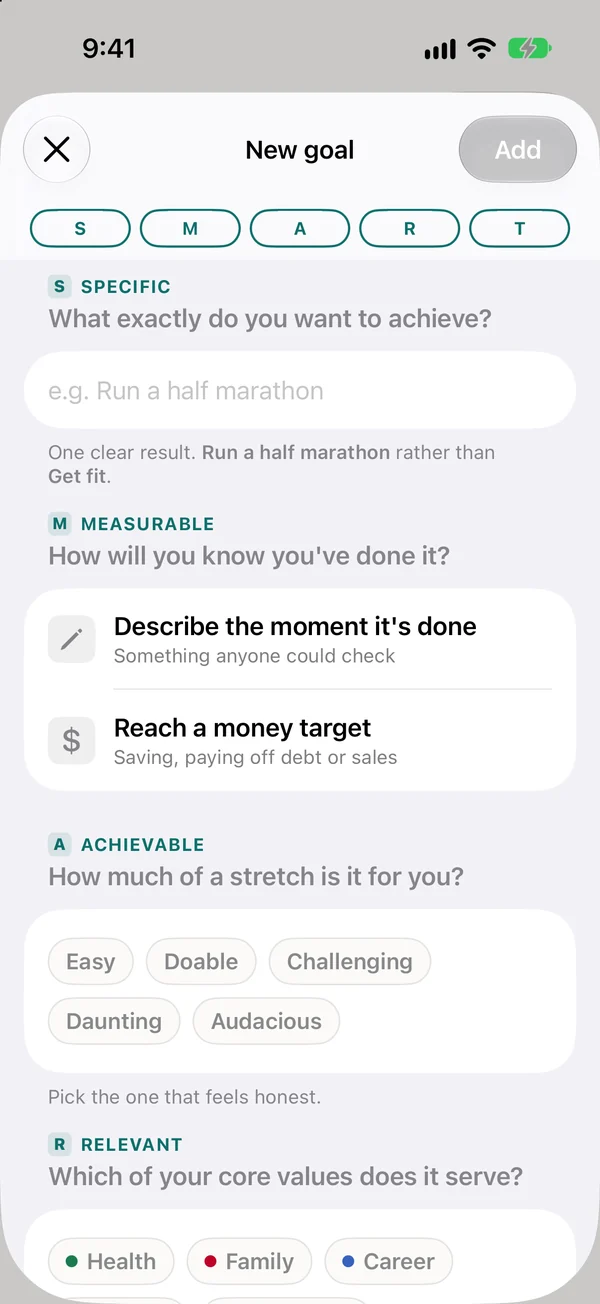
Pick save, pay off or sell
Choose the kind of money goal, the amount and the date you want to reach it by.
- Save money, pay off debt or hit a sales target
- One amount and one date
- Linked to a value you chose
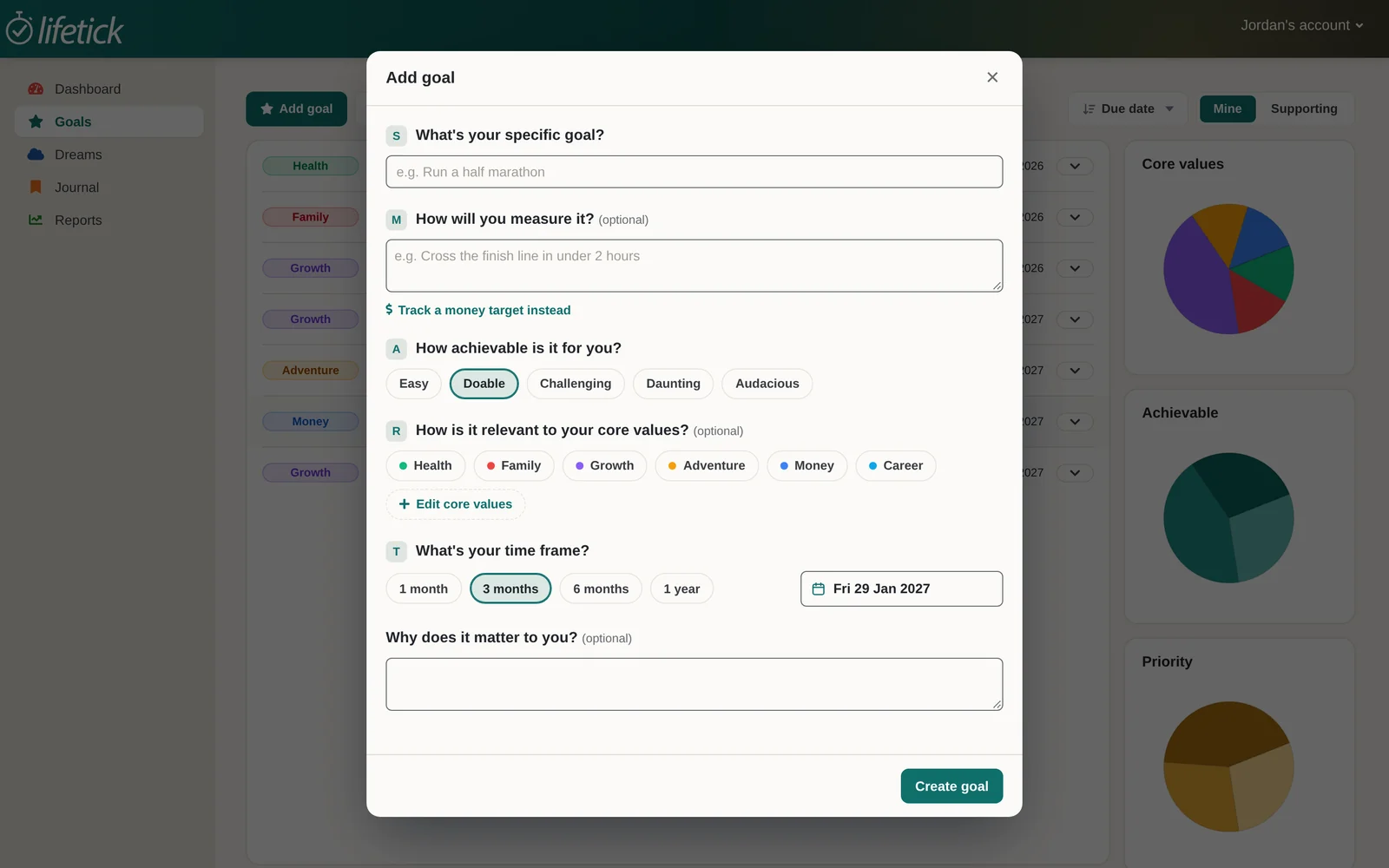
Give every step an amount
Each task carries its dollars, like a $500 transfer or the tax refund. A repeating task counts its amount every time.
- Saved so far, and how much to go
- Shows what isn’t in a task yet
- Reminders on your phone
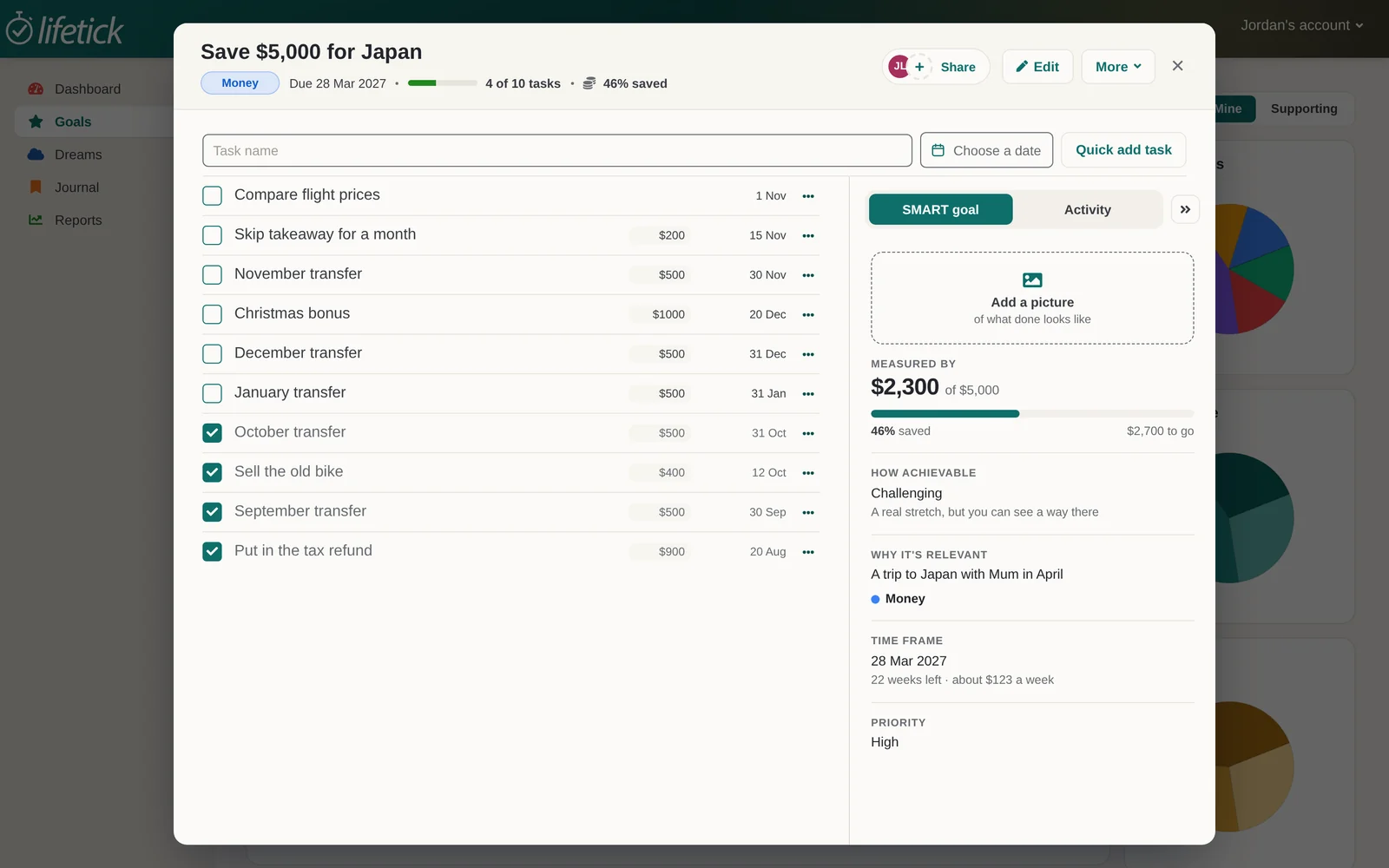
Watch the total grow
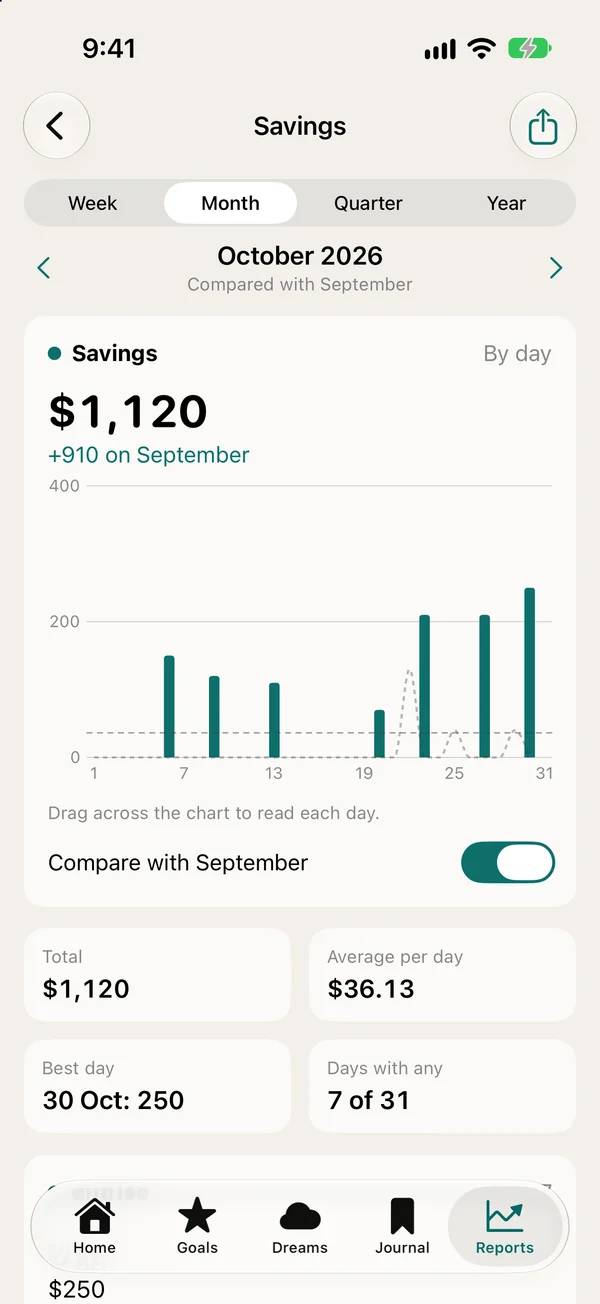
Tick off a deposit and the goal moves. A Savings tracker charts the money you put aside, week by week.
- A finish banner when you reach it
- Savings charted in your reports
- The same goal on iPhone and the web
Common questions
No. Your bank or budget app shows where the money went. Lifetick is for what you’re saving or paying off, and the weekly steps that get you there. It doesn’t connect to your bank.
Money goals come with Premium, $29 a year, along with unlimited goals, sub tasks and trackers. On the free plan you can still set a savings goal as a plain goal with a weekly task.
Yes. Choose Pay off debt and each repayment counts toward the amount, so you can see what’s paid and what’s left.
No. Lifetick helps you set and track a money goal. For big decisions, talk to a qualified adviser.
Put a number on it this week.
Pick one money goal, give it an amount and a date, and make the first transfer. Free to start, on the web or iPhone.
